What PhotoMove Will Do For You
PhotoMove will sort your photos into structured dated folders based on the actual date the photo was taken. This date is found in the exif data embedded in each photo or video.
(You can download a free version of PhotoMove 2.5 from this page.)
PhotoMove 2.5 will quickly allow you to:
1. Easily locate and view photos from a specific time or period.
2. Organize photos in chronological order for creating a timeline or narrative.
3. Group photos from events or occasions, such as a vacation or special occasion, for easier viewing and sharing.
4. Sort photos by the actual date taken rather than the date they were imported or edited, which can help with accurate archiving and organization.
5. Quickly identify and delete duplicate or similar photos that were taken at the same time.
6. Make it easier to share photos with others by providing context and background information about when they were taken.
7. Avoid confusion or misplacement of photos when multiple photos from different times or events have similar or identical titles or file names.
8. Help with organization and categorization of photos for future reference or searching.
9. Make it easier to spot any gaps or missing photos in a chronological sequence.
10. Facilitate the use of features or tools that require photos to be sorted by date, such as photo collages or slideshows.
Why Lifehacker Loves PhotoMove
This article on Lifehacker gives one users view of the benefits of using PhotoMove.
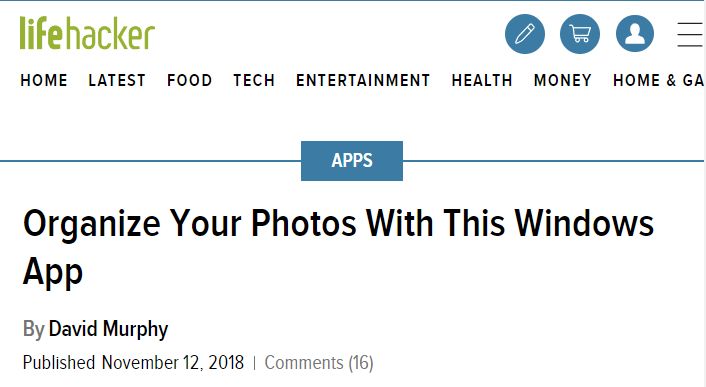
The review was unsolicited. It was nice to see a major concern like Lifehacker taking a look at the program.
Why Users Love PhotoMove
PhotoMove uses the EXIF data embedded in each photo to accurately sort the photos by the date they were taken, rather than relying on the date the photo was imported or edited. This ensures that the photos are organized in the correct chronological order.
You can specify the destination folders for your sorted photos, making it easy to customize the organization and structure of the photo collection.
There are a variety of options for sorting and organizing photos, such as by date, month, year, or camera model, allowing users to choose the method that works best for their needs.
PhotoMove has a user-friendly interface and is easy to use, even for users who are not familiar with photo organizing software. It is efficient and can quickly sort large numbers of photos, saving users time and effort.
The program supports a wide range of image file formats, making it compatible with most digital cameras and devices.
PhotoMove is affordable and offers a free version with an unlimited trail period. If you purchase the Pro version additional enhanced options are available in the program.
Overall, users are highly pleased with its accuracy, flexibility, and ease of use.
(You can download a free version of PhotoMove 2.5 from this page.)
Cornelius Smit
Great app, at first I was sceptical and downloaded the free version, and in 5 minute I purchased the pro version.
Well done
Razeen Manama Kavil
Photomove is the best app to organize photos. Easy and anyone can use it. Not just photographers. At this price point its a steal.
Nick
Mark,
Very glad to have found PhotoMove 2.5 and it’s worth the the 9 bucks. It is EXACTLY what I’ve been looking for and does what you say it does. Why couldn’t Microsoft provide these options when I use Onedrive or Photos to copy photos off my phone or camera??!!! It has been driving me nuts! Not any more. :-)
Thanks, Nick
Tom
This program PhotoMove2 is just fantastic sort my many thousands of photo’s that over the years I had just dumped into folders over years. With this program in a matters of minute’s they were sorted into folders Year and Month. When finished I just looked at the folders and smiled think how much time I wasted trying to do this. So thank you kindly for making this program and having it at a price I didn’t have to think twice about paying for. If your read this because you have any doubts, try the free version on a small amount of photos first. Then buy the full version when you see its power.